
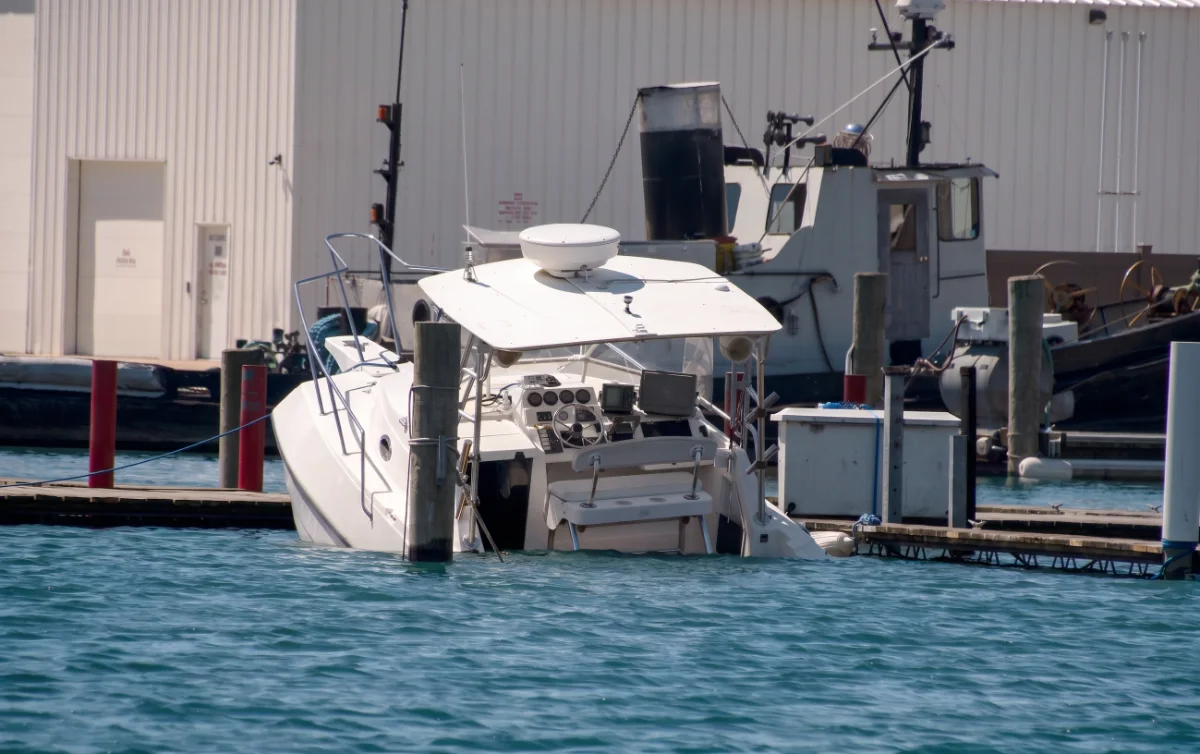
Most boats that sink at their moorings do so slowly, with nobody aboard. Water finds its way in through a weeping stern gland, a tired hose, a seacock or heavy rain, the bilge pump works harder, and the battery that powers it runs down. Remote bilge monitoring puts that sequence in front of you while there is still time to act. This guide explains what it measures, how the alerts reach you and what to connect.
Why the bilge matters on an unattended boat
A bilge pump running from time to time is normal. A pump that starts running far more often than usual is one of the earliest signs of a leak. Without monitoring, the first sign an owner usually sees is the result: a flat battery, a flooded engine bay or a boat low in the water on the next visit to the marina.
What remote bilge monitoring measures
- Bilge pump activity. When the pump runs and how often. A change in the pattern is the early warning.
- High water. Where a suitable bilge sensor or float switch is connected, an alarm when water rises above a set level.
- Battery voltage. The pump depends on the batteries, so a falling voltage matters as much as the water level.
- Shore power. On boats kept charged from the pontoon, a loss of shore power means the charger stops and the batteries start to drain.
Bilge pump alerts and high-water alarms are not the same
A pump alert tells you the pump has started. A high-water alarm tells you the water is rising faster than the pump can clear it, or that the pump has stopped working. Fitting both gives you an early warning and a serious warning, and helps you judge how quickly you need to get to the boat or call the marina.
How the alert reaches you
A remote boat monitoring system reads the bilge, battery and power inputs on board and sends them over the boat's internet connection, whether that is marina Wi-Fi, a cellular router or a satellite service. When a reading moves outside the range you have set, a notification arrives on your phone naming the boat and what changed. You can then open the app, check battery and shore power, and look at the live cameras if they are fitted.
What to connect
- The bilge pump circuit, so pump runs are recorded.
- A high-water sensor or float switch mounted above the normal pump switch level.
- Battery voltage for the bank that powers the pump.
- Shore power status, if the boat is kept on charge.
- Optionally, a camera covering the engine bay or cockpit, so you can see what is happening.
- Optionally, a siren or strobe, so someone on the pontoon notices too.
Sensor choice and placement depend on the boat, so this is best agreed as part of the installation.
A short checklist for owners
- Know how often your pump normally runs, so you can recognise a change.
- Set the high-water sensor high enough to avoid false alarms from normal pump cycling.
- Set a low-voltage alert with enough margin for the pump to keep running.
- Agree who will respond if you are too far away: a marina, a neighbour or a boatyard.
- Test the alerts after installation and again at the start of each season.
Remote bilge monitoring with BRNKL Blue
BRNKL Blue for leisure boats is a remote boat monitoring system that shows bilge activity alongside battery voltage, shore power, GPS position and live cameras in one app. With bilge monitoring and a high-water float switch, it can alert you if the bilge pump is running frequently or the boat is taking on too much water. An internal battery keeps the unit powered if the boat's own batteries are lost, so the alert can still reach you. You set the alert thresholds, and there is no BRNKL subscription. Mission Dynamics supplies and supports BRNKL Blue in the UK and Europe.
Comparing systems? See our guide on how to choose a remote boat monitoring system.
If you would like to talk through the right sensors for your boat, get in touch.
Frequently asked questions
What is remote bilge monitoring?
Remote bilge monitoring reports what is happening in your boat's bilge to your phone or browser while you are away. It typically covers bilge pump activity and, where a suitable sensor is fitted, a high-water alarm, with alerts sent when something changes.
Can I get a bilge alarm on my phone?
Yes. A remote boat monitoring system such as BRNKL Blue sends a notification when the bilge pump runs or a connected high-water sensor is triggered, so you hear about it wherever you are.
What is the difference between bilge pump monitoring and a high-water alarm?
Bilge pump monitoring tells you the pump is running and how often. A high-water alarm tells you the water level has risen above a set point, which can mean the pump cannot keep up or has failed. The two together give the clearest picture.
Why monitor battery and shore power as well as the bilge?
Most bilge pumps depend on the boat's batteries, and on many boats the batteries depend on shore power through a charger. If shore power drops or voltage falls, the pump may stop. Monitoring all three shows you the whole chain.
Will the alarm still work if the boat's batteries go flat?
It depends on the system. A monitor powered only from the boat's batteries goes quiet when they fail, which is often when you most need it. BRNKL Blue has an internal battery that keeps it powered during onboard battery loss.
Do I need a subscription for remote bilge monitoring?
With BRNKL Blue there is no BRNKL subscription. The system uses the boat's existing internet connection, such as a marina Wi-Fi, cellular router or satellite service.